
NATIVE / 01
macOSAt home on the Mac.
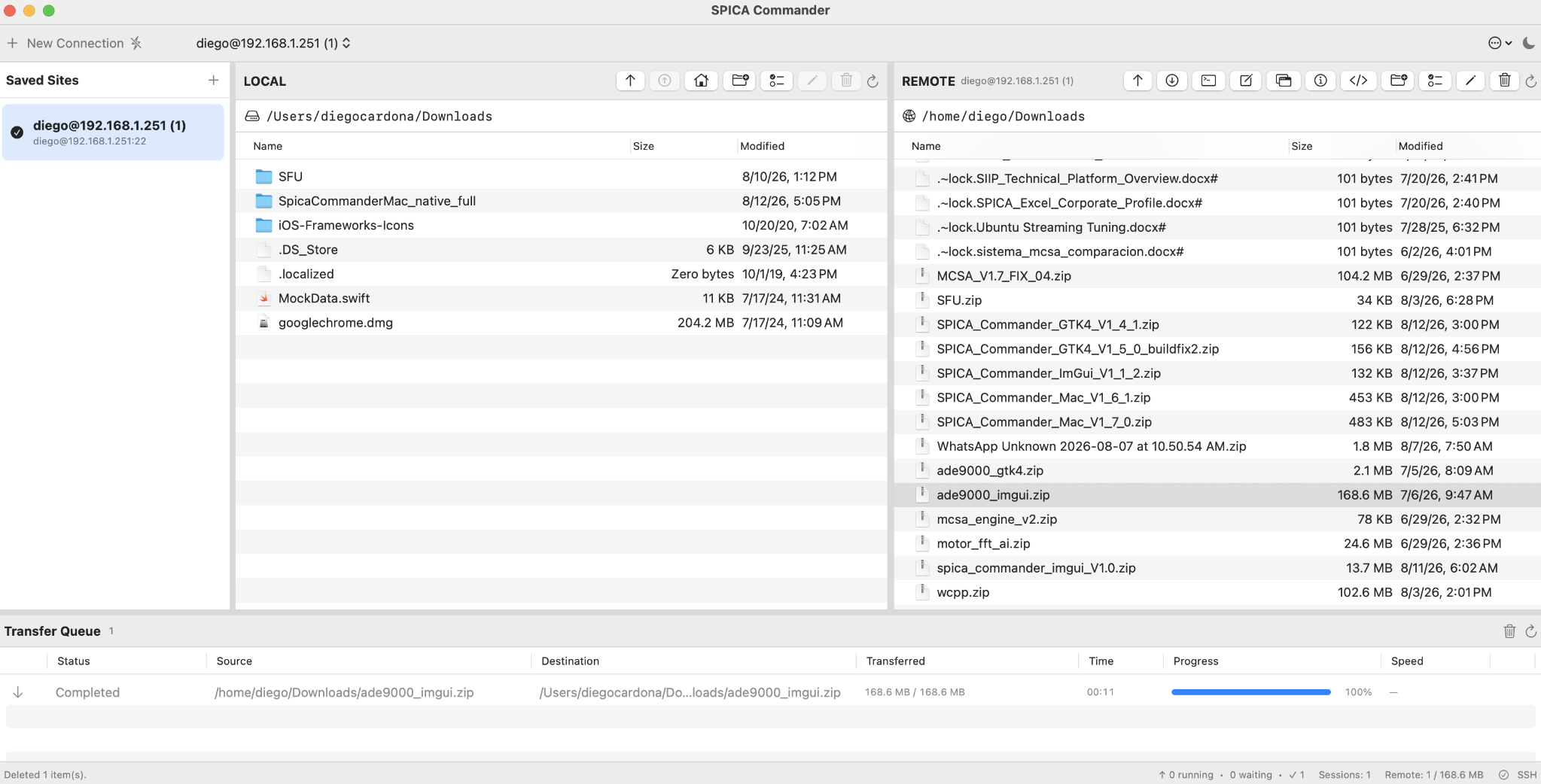
A light native interface with platform-standard controls, Keychain-backed credentials and a focused local-to-remote workflow.
- Native macOS presentation
- Keychain credential storage
- Local and remote file tables
SPICA Commander / Secure Remote Operations
A professional remote file operations system for macOS and Linux. SPICA Commander unifies SFTP, SSH and WebDAV workflows without forcing every desktop into the same interface.
Shared architecture
The three frontends consume the same canonical SPICA Core. A protocol-neutral contract gives SFTP and WebDAV the same browsing, transfer and file-management semantics while protecting each desktop's native experience.
macOS, GTK4 or ImGui presents the same local, remote and transfer workflow in the desktop language of each environment.
A protocol-neutral dispatcher keeps interface code independent from SFTP and WebDAV implementation details.
Browsing, transfer models, MIME intelligence, directory watching, credential storage and remote editing live in one shared core.
Background transfers use independent connections so the live browsing session remains responsive and operationally clear.
Three real product interfaces
These are working SPICA Commander interfaces—not conceptual mockups. Select any image to inspect the application at full size.
NATIVE / 01
macOSA light native interface with platform-standard controls, Keychain-backed credentials and a focused local-to-remote workflow.
LINUX / 02
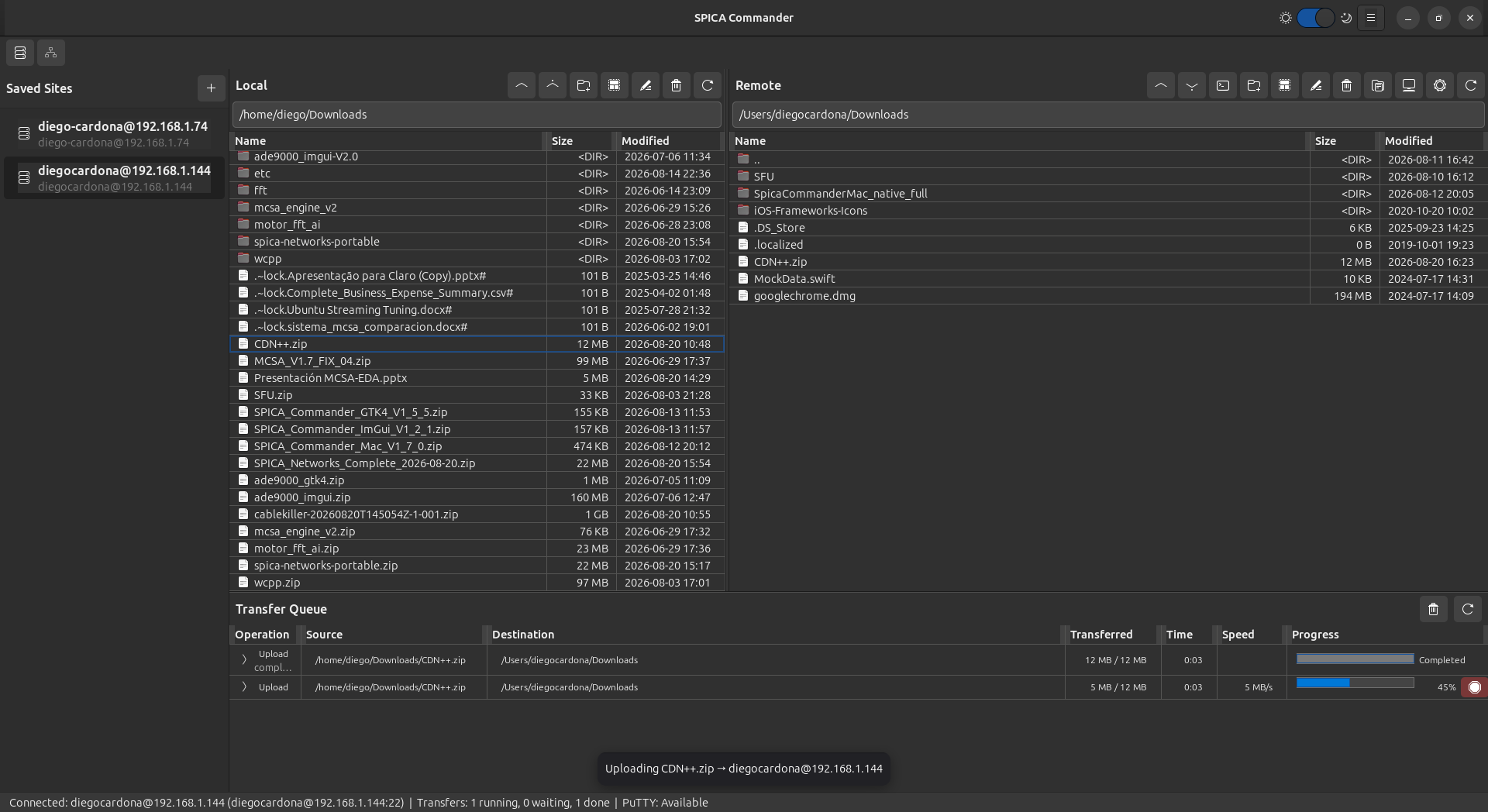
GTK4A spacious GTK4 desktop experience that keeps multiple transfers, remote sessions and operational state visible.
ENGINEERING / 03
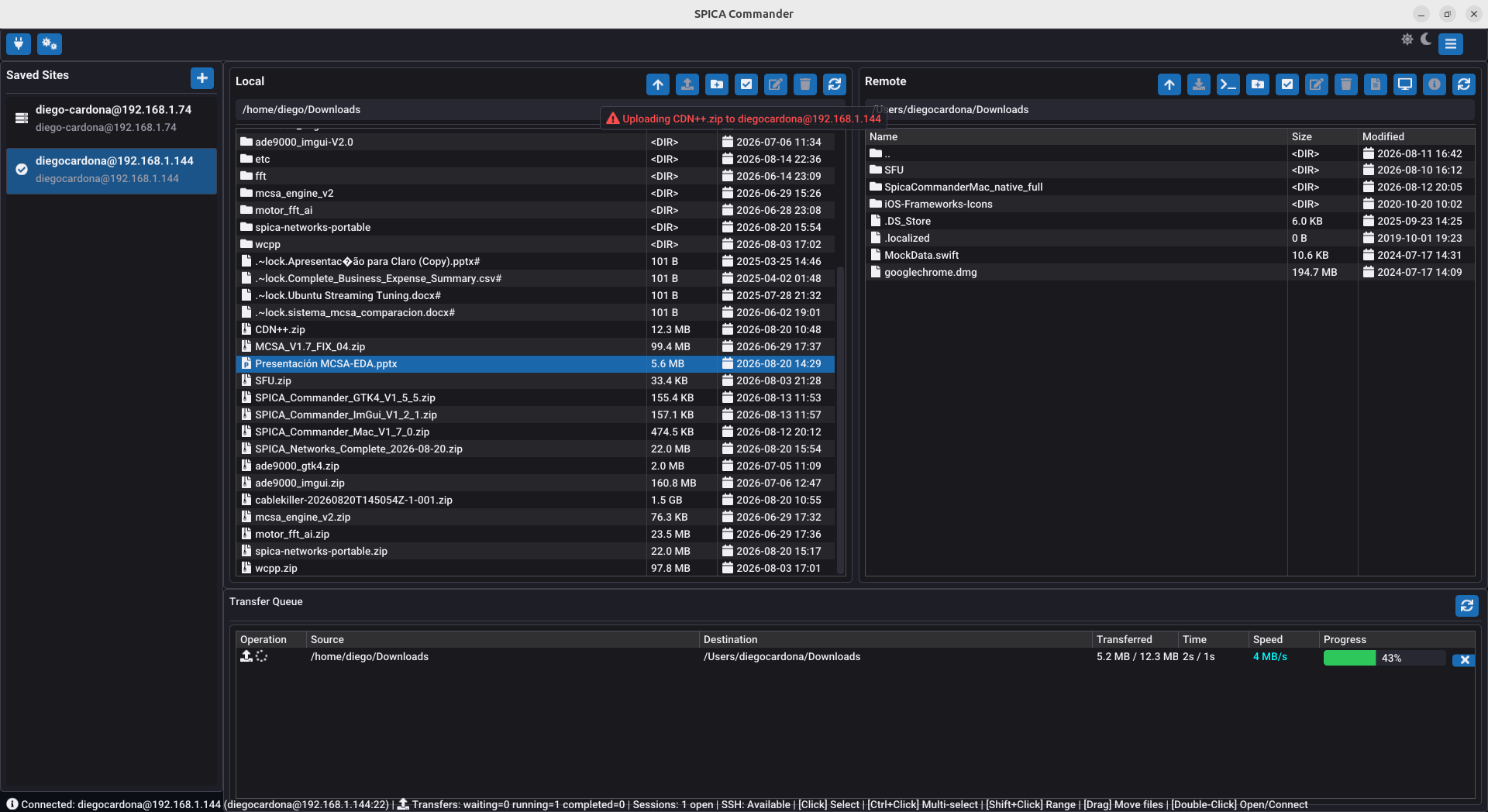
ImGuiAn ImGui and SDL2 frontend optimized for high information density, immediate interaction and engineering workstations.
Operational capabilities
SPICA Commander keeps the session, directories, selection, operation and queue visible. The product supports the complete workflow before, during and after bytes move across the network.
Navigate local and remote directories together with explicit paths, file metadata and active-session context.
Upload or download multiple files and folders while tracking total bytes, progress, speed and status.
Move complete directory trees through the same protocol-neutral operation used for individual files.
Interrupted transfers continue through .spica-part files, and active or waiting jobs can be canceled from the queue.
Create directories, rename entries, remove files or folders and inspect supported remote properties.
Use click, range and multi-selection workflows, then drag between the Local and Remote work areas.
Detect file type, open media locally or download-edit-upload remote text through the preferred editor.
Native filesystem events refresh the local view when another application creates, changes, moves or removes content.
Transfer queue
Every job exposes direction, source, destination, transferred bytes, elapsed time, speed and final state.
Capability-aware protocols
WebDAV receives the same core file workflow without pretending to provide SSH or POSIX features. The interface enables only what the active remote system supports.
Security model
Saved Sites remembers operational context while secrets stay in the platform credential service. SSH host identity and WebDAV TLS policy remain explicit parts of the connection model.
Saved Sites persist connection metadata while passwords and passphrases remain in macOS Keychain or the Linux Secret Service.
Trust on first use records the server fingerprint and rejects a later key change before authentication credentials are sent.
HTTP and HTTPS endpoints are supported, with certificate verification exposed explicitly in the connection profile.
Terminal, X11, remote commands and POSIX permissions appear only when the active protocol genuinely supports them.
SPICA Networks engineering