Vectorscope
Inspect chroma distribution and directional balance alongside the live frame.
SPICA Media Operations Dashboard / Live Media NOC
Monitor channels, inspect adaptive streams, diagnose signal behavior, coordinate head-ends and manage incidents from one native operations console.

Every product image on this page comes from the running application. Product boundaries and unfinished production work are stated explicitly.
Monitor
The live wall compresses many channels into one operational view. Operators can move from confidence monitoring into a channel-specific workspace without losing the wider service context.
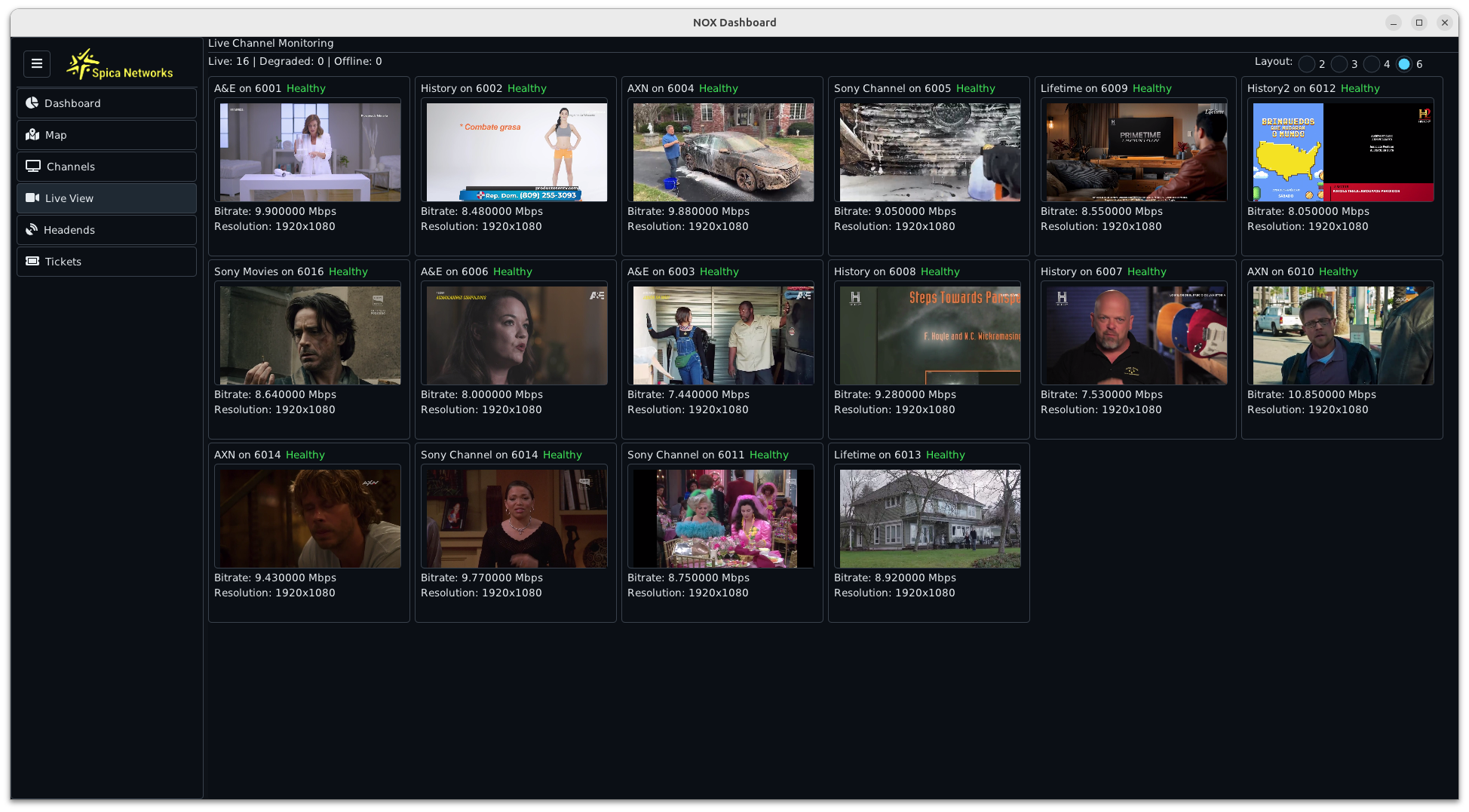
Watch multiple services together and keep bitrate, resolution and health state visible without opening every channel individually.
Inspect the active master, choose a rendition and select the required audio track while the live service remains in view.
Correlate current playback with uptime, bitrate range, status history and transport context around a channel event.
Diagnose
The channel workspace combines decoded video, stream metadata, selectable ABR and audio tracks, technical scopes and health history. The operator can investigate the service as one time-aligned event.
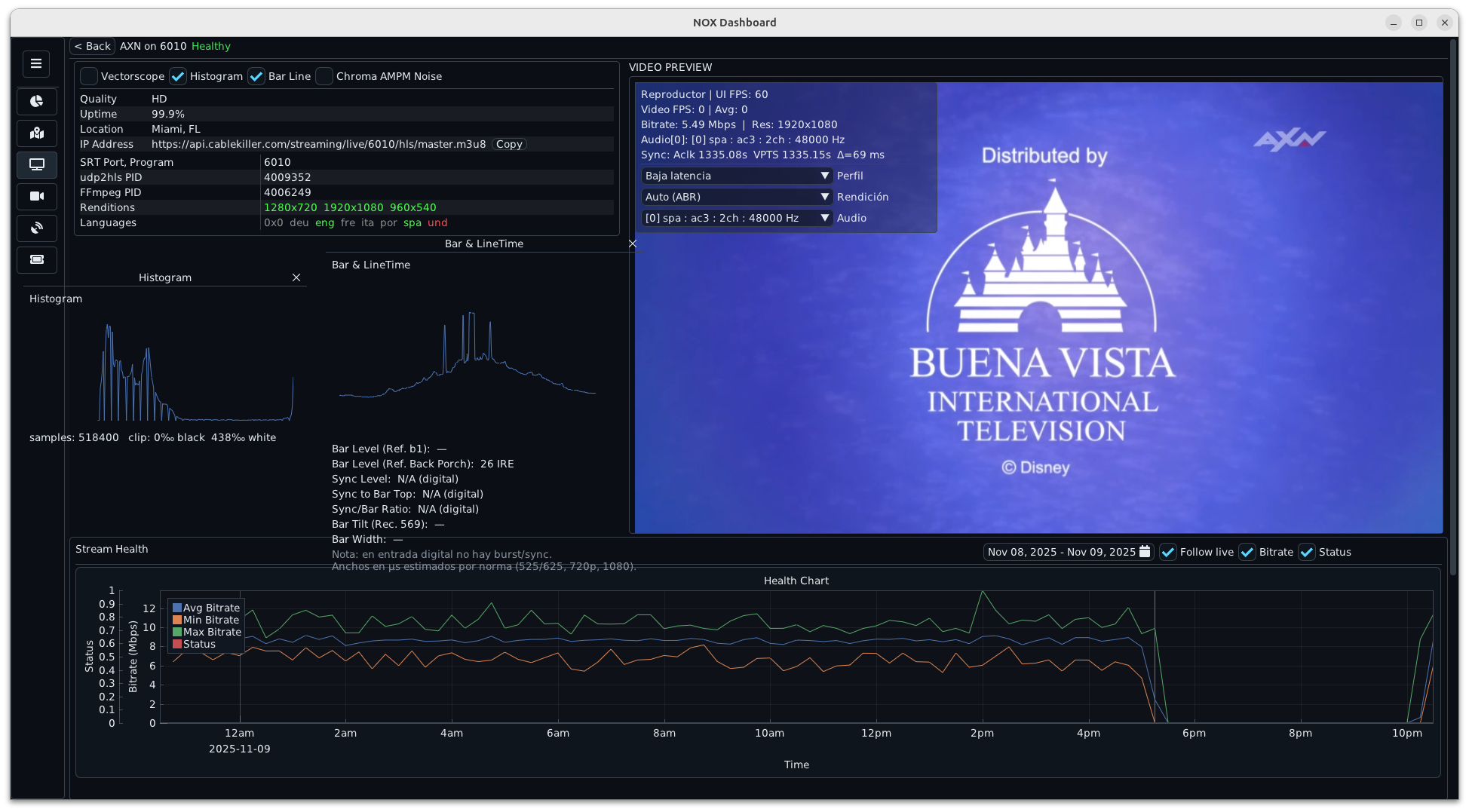
Inspect chroma distribution and directional balance alongside the live frame.
Review luma distribution and clipping indicators without leaving the channel workspace.
Expose bar, sync and line-timing context for operational troubleshooting.
Surface approximate chrominance noise indicators next to playback and stream health.
Histogram, vectorscope, Bar/LineTime and chroma-noise views support troubleshooting. Formal regulatory or contractual measurements require a calibrated signal path, documented reference levels and validation.
Operate
Monitoring becomes operational when a channel can be related to its head-end, assigned service set and incident record. The dashboard keeps those workflows inside the same product context.
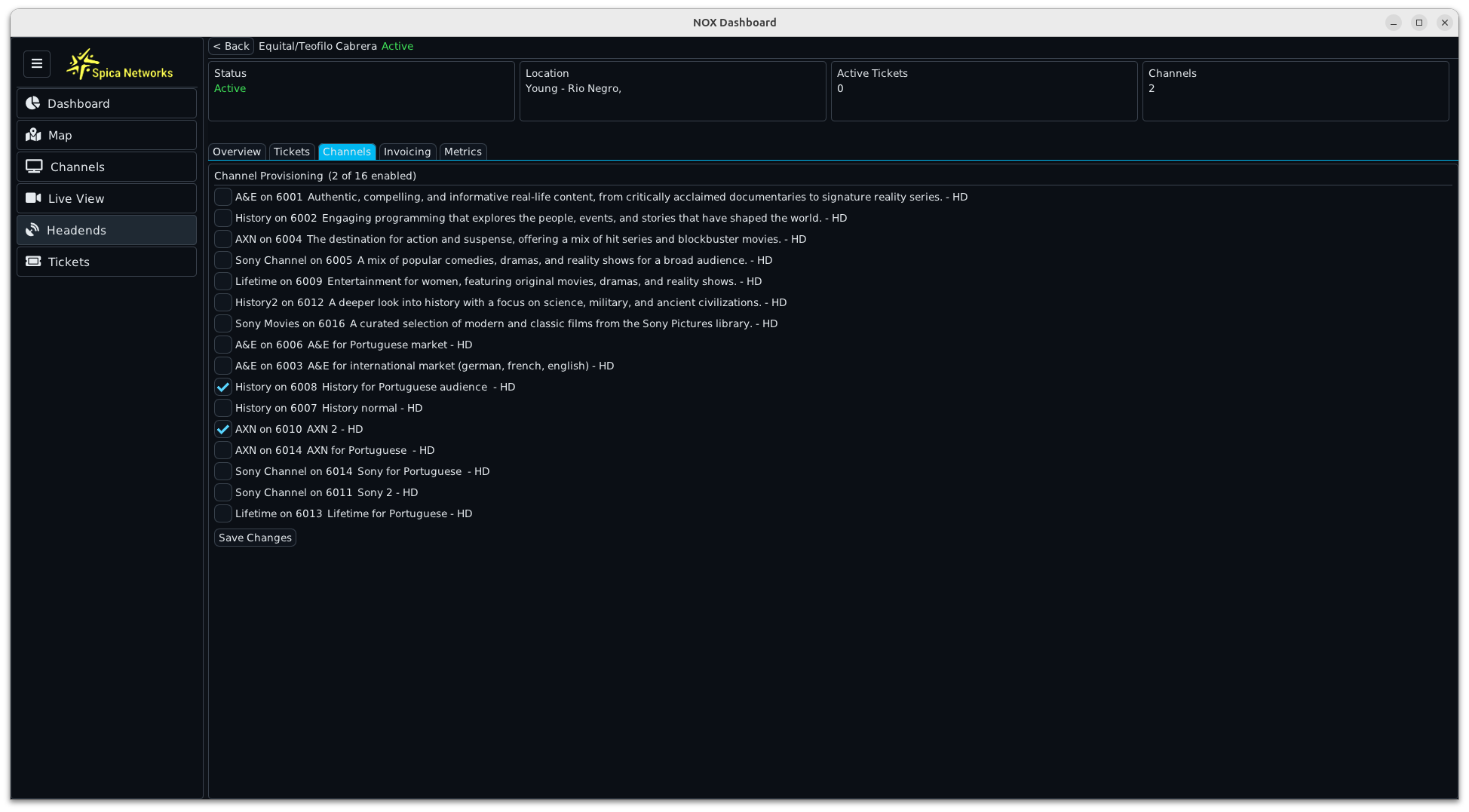
Review location and state, inspect active tickets and manage the channel set assigned to a head-end.
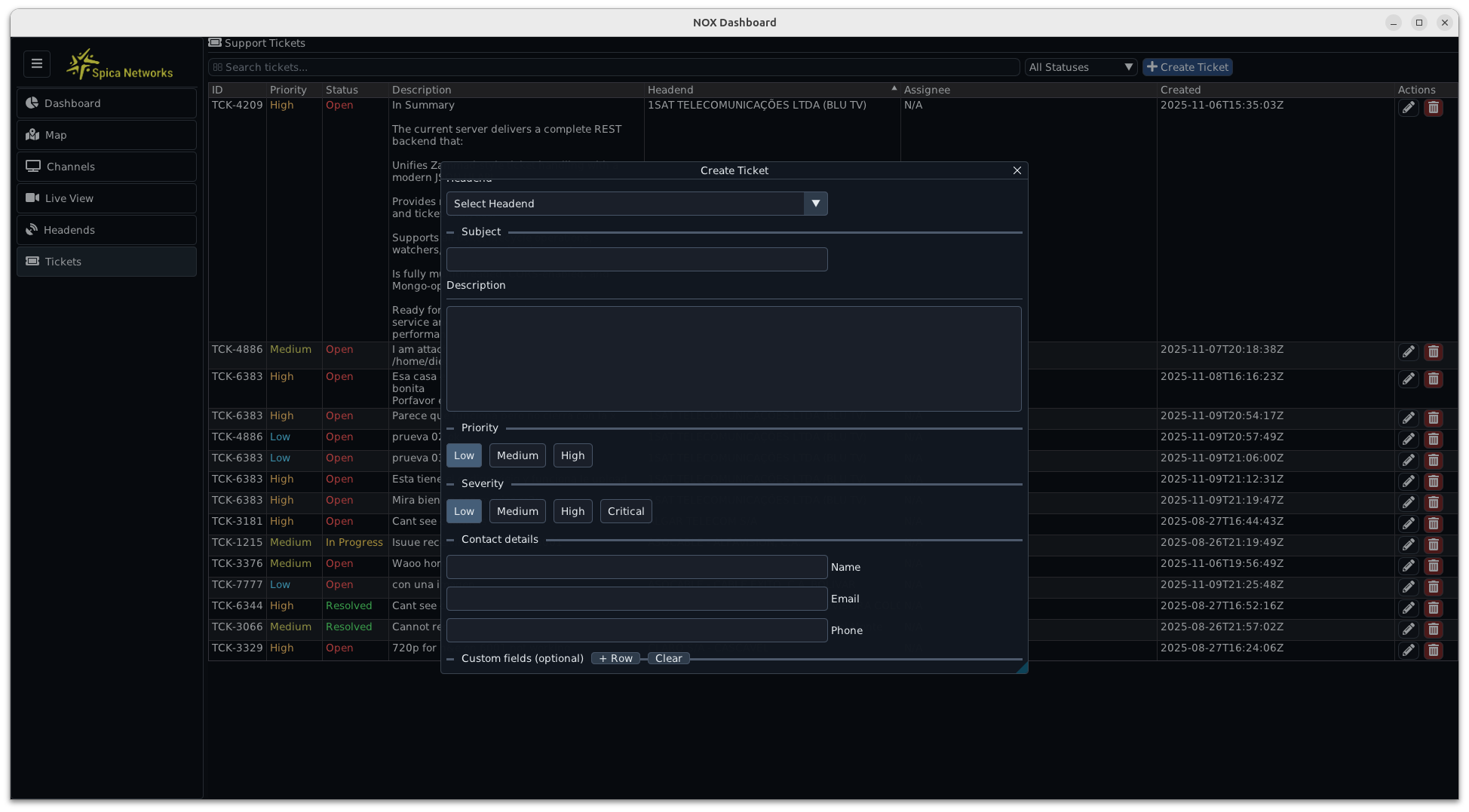
Create and track incidents with head-end, priority, severity and contact context attached to the operational record.
Architecture
The console connects media decoding, desktop visualization, REST services, persistent operational state and log ingestion. Those layers form the basis for an integrated media NOC product.
Opens live HLS media, resolves renditions and audio tracks, and supplies decoded frames and stream evidence to the operator view.
Renders the desktop console, channel wall, technical scopes and historical charts in a compact native application.
Connects channels, head-ends, tickets and operational actions through a C++ service boundary.
Persists the channel, location, ticket and telemetry context consumed by the dashboard workflows.
A separate C++ ingestion path normalizes operational records with retry, backoff and update semantics.
Engineering readiness
The archive demonstrates a broad working product surface. A production deployment should preserve that capability while tightening security, configuration, data governance and measurement claims.
SPICA media ecosystem
This console complements the media path already documented across CDN++, HLS2SRT and SPICA's creator-owned BossTV evidence.
Direct engineering contact